Abacus IDE Docs
Abacus IDE is the Abacus Integrated Data (Modelling) Environment for running the Abacus Bayesian marketing mix modeling workflow end to end.
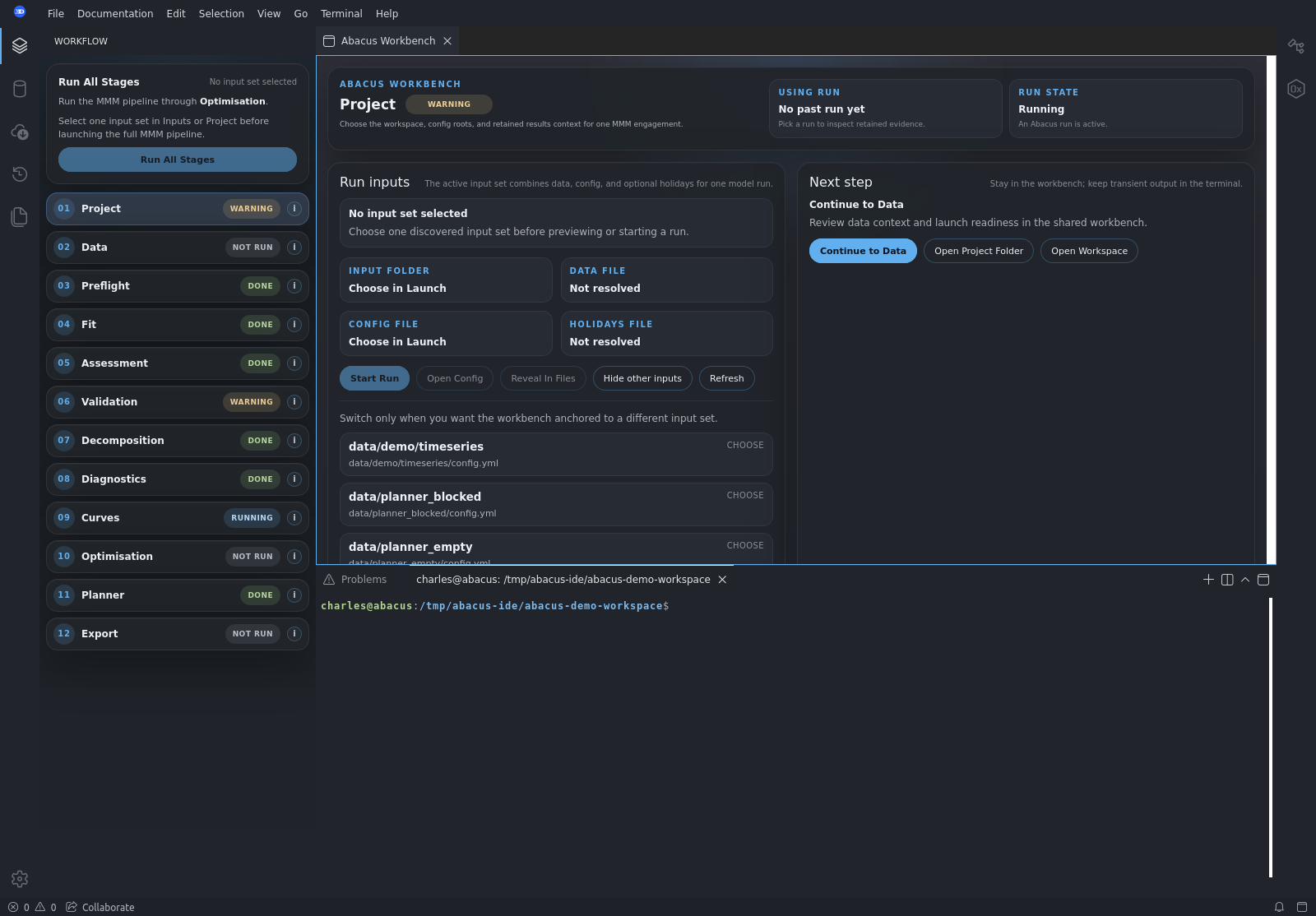
The IDE is workflow-first. It is designed to help marketing scientists, analysts, and model operators move through one MMM engagement from inputs to run execution, diagnostics, optimisation, planner hand-off, and export without stitching together folders, terminals, and ad hoc notebooks.
The Abacus MMM library has its own detailed documentation in the adjacent
abacus repository. These IDE docs focus on:
- how to use the product shell
- how to load inputs and launch runs
- how to read the workflow stages
- how the native planner fits into the end-to-end workflow
Recommended Structure
This is the basic structure recommended for Abacus IDE documentation:
getting-started/- what the IDE is
- first-run quickstart
- loading demo data and uploaded inputs
workflow/- stage-by-stage workflow model
- running the MMM pipeline
- retained runs and artifact inspection
planner/- planner readiness
- planner workspaces
- native scenario-planning workflow
reference/- side panels, menus, workbench surfaces, and terminology
- product concepts and operator-facing UI reference
Contents
Relationship To Library Docs
Use the Abacus MMM library docs when you need:
- YAML configuration details
- input-data requirements
- stage semantics inside the Python runner
- model-fitting and diagnostics theory
- optimization and scenario-planner API details
Use the Abacus IDE docs when you need:
- product navigation help
- run-launch and workflow guidance
- stage interpretation inside the IDE shell
- planner tab and panel usage