Inputs and Runs
Input Sets
The IDE treats an MMM launch as one input set:
configdatasetholidays, if used
This keeps the shell aligned to how operators think about a run, even when the
Python runner is still anchored through config.yml.
Loading Demo Inputs
Bundled demo data is intended for:
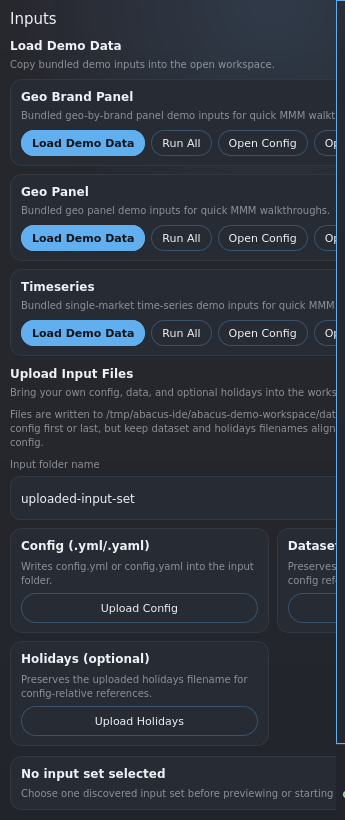
- quick evaluation of the shell
- walkthroughs
- smoke testing the runner and planner flow
Loading demo data copies the selected demo bundle into the open workspace so it becomes a normal input set inside that project.
Uploading Inputs
Uploading input files writes them into the workspace under a dedicated input folder. The uploaded config is then used as a normal project config candidate.
Keep dataset and holidays filenames aligned with the paths referenced in the config.
Starting A Run
When you start a run, the IDE launches the Python Abacus runner and then switches to a run-centered workflow view.
During execution:
- the terminal carries transient process output
- the workflow spine shows run state
- the workbench surfaces current context and next steps
Retained Runs
A retained run is a run directory already written to disk under results/.
Retained runs matter because they let you:
- reopen prior evidence without rerunning the model
- inspect manifests and stage artifacts
- continue into planning when planner-capable evidence exists
The IDE prefers retained artifact truth wherever possible.